
Hermeto Black Book is a shared live risk-intelligence layer for Solana trading. It does not rely on one metric. It blends token report data, creator/deployer behavior checks, and community flag signals. This extension is only available for trade.padre.gg only, for now.
Since this extension is not on Chrome Store you will need to take a couple of steps more to install.
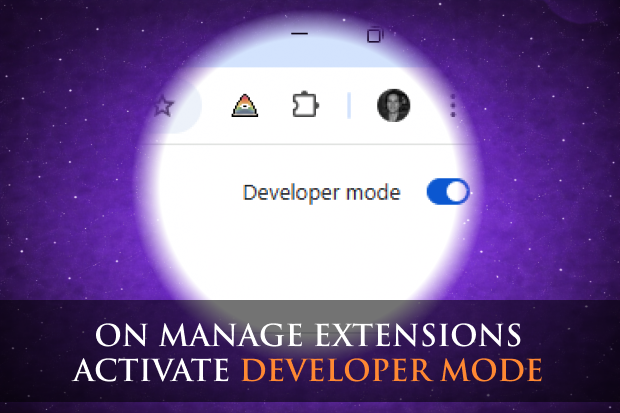
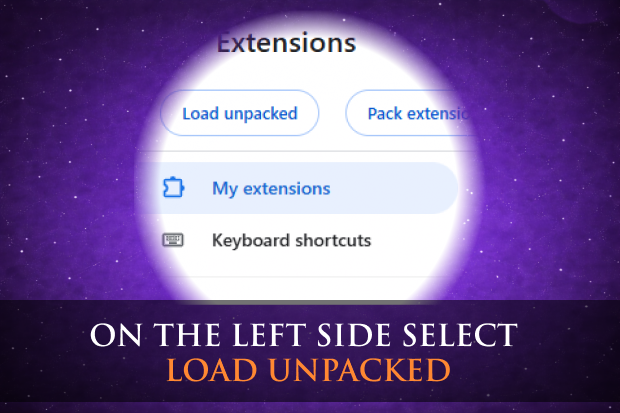
When a new update is available,download the new zip file, extract it, and overwrite your old folder. Then navigate to chrome://extensions/ and click the "Refresh" arrow icon on the Hermeto Black Book extension block.
Here you can see the official manual that explains every feature, metric, and signal of the Hermeto Black Book.
Dive deep to understand the secrets within the extension
and elevate your wisdom.
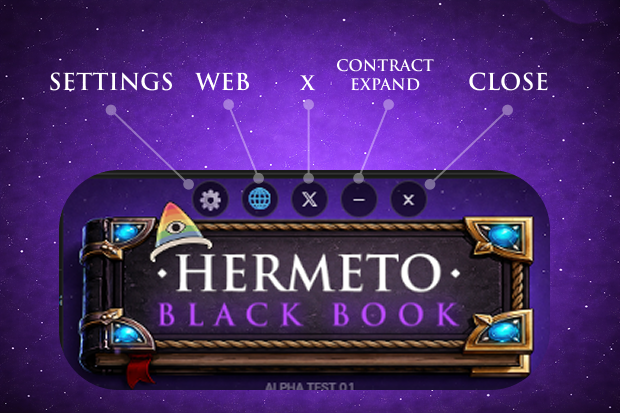
Here you have access to the Options, link to the website, X link, Contract / Expand the extension and Close.
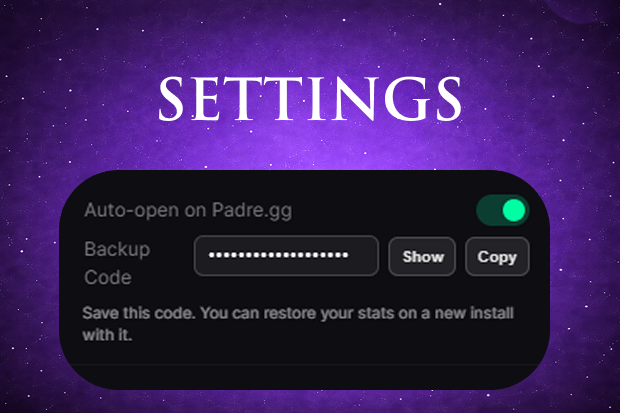
Setting sections allows you to view your restore code, this is in case you want to install the extension on another device, or in case you delete the extension and want to recover all your stats.
You can also configure if you want the extension opens automatically on Terminal, active by default
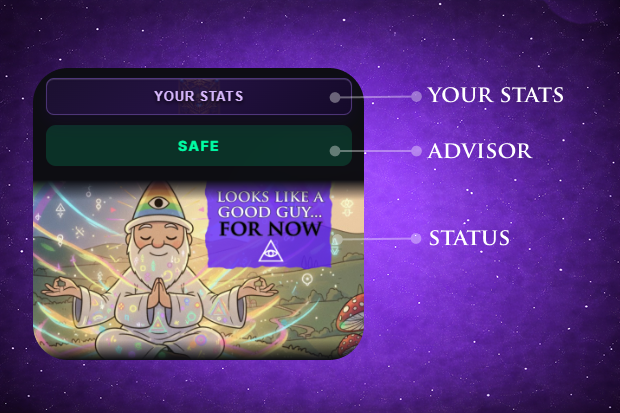
Here you can access to Your Stats,
The Advisor verdict tells you whether the token is safe or suspicious, while the Status card shows Hermeto's assessment of the deployer's behavior.
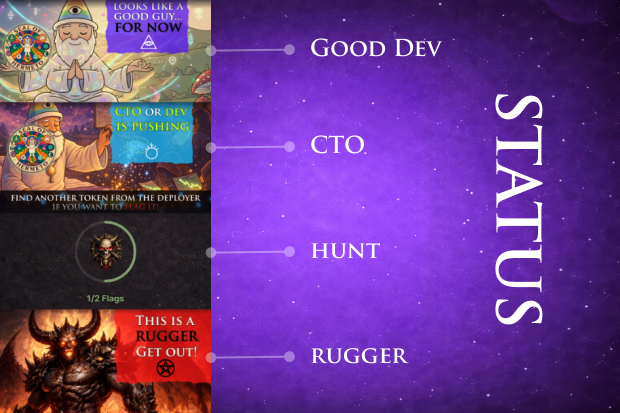
The Status card changes based on the deployer's on-chain behavior:
Good Dev — The deployer looks legitimate, for now.
CTO — The creator or dev is pushing CTO activity, this status appears when the token has done something wrong on his records, but has proven to be a good project, activity for 6 months is needed for this instance.
Hunt — On this instance you can add a flagg to the deployer, based on his behavior. Very new tokens have always this instance first, you are entitled to one flag per deployer
Rugger — Strong rug signals detected. Get out immediately.
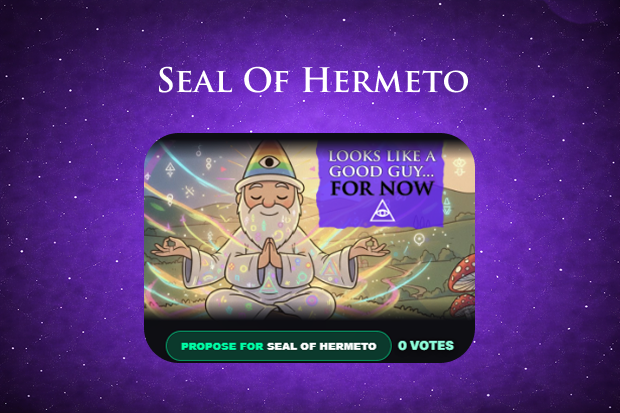
Now, if a project has been active for more than 6 months and is still pushing, you will see a button to propose it for the Seal of Hermeto. You will also see the Seal of Hermeto badge displayed on tokens that have already been granted the seal.
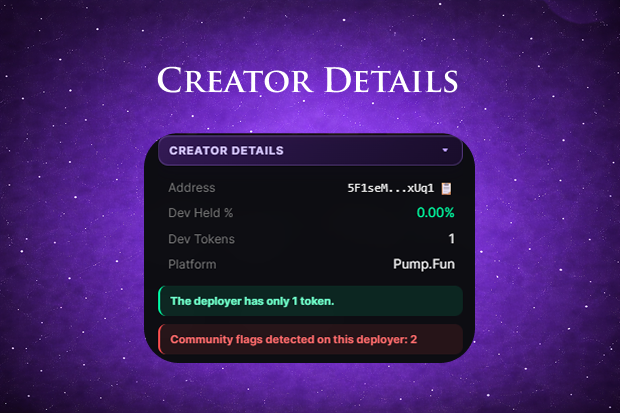
The Creator Details panel reveals the deployer's wallet address, the percentage of supply they still hold, how many tokens they have created, and the launch platform.
Pay attention to the alert badges too!
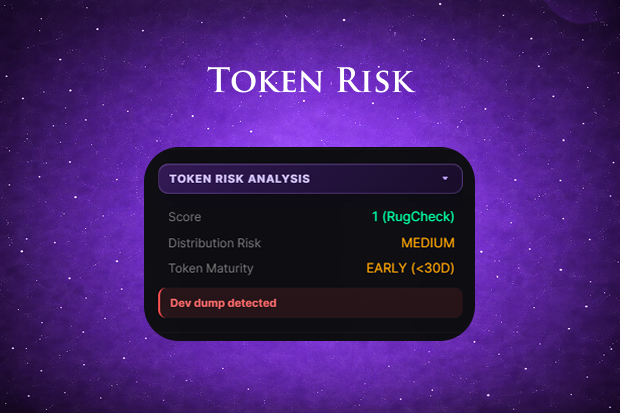
Token Risk Analysis aggregates the RugCheck score, distribution risk level, and token maturity.
Alerts like Dev dump detected appear here when suspicious on-chain movements are identified, helping you avoid traps before they spring.
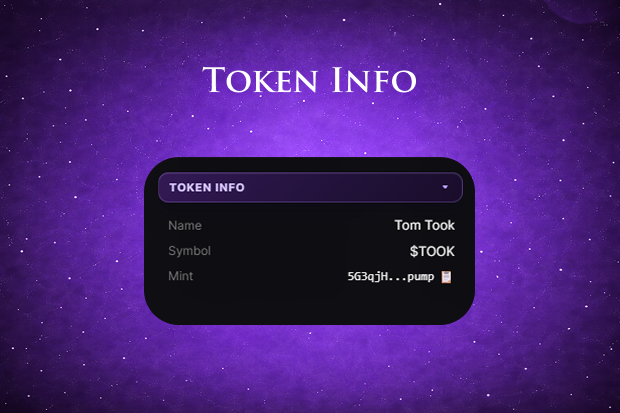
Token Info shows the basic identity of the token you're viewing: its name, ticker symbol, and mint address.
Use the clipboard icon to quickly copy the mint for verification on external tools or explorers.
Track your personal evolution as a Hermeto contributor through on-chain metrics and community participation.
Your stats, score, and badges are the keys to unlocking the deeper secrets of the Black Book.
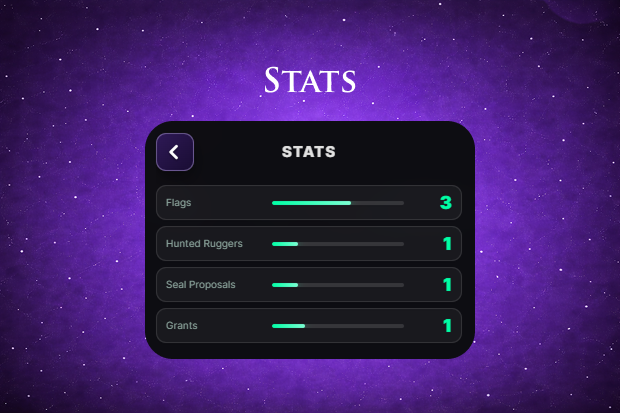
Monitor your impact with stats on flags, hunted ruggers, and seal proposals. Your vigilance is recorded to rewarded as you help secure the network.
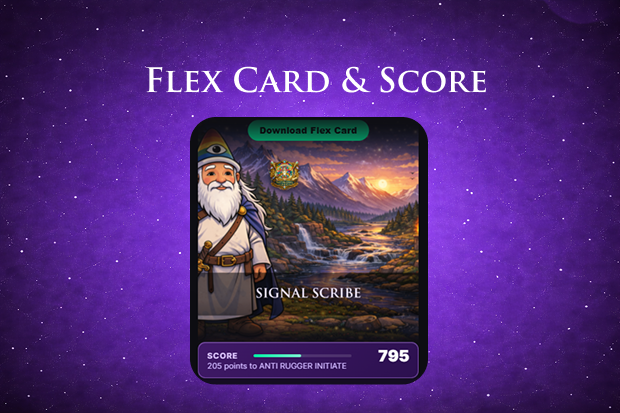
The Flex Card displays your rank and total score. Provide high-quality signals to elevate your status among elite hunters.
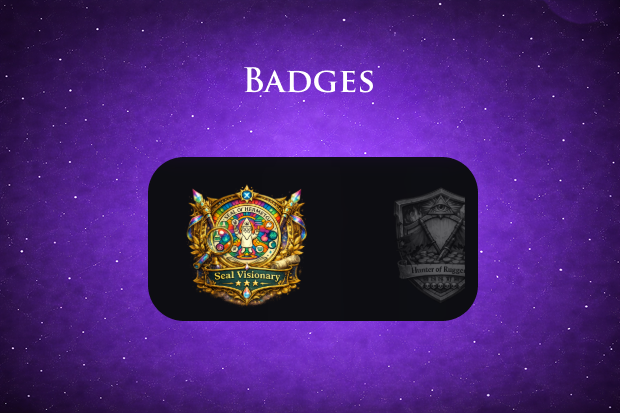
Collect unique badges like the Seal Visionary for your milestones. These honors mark your mastery of the intelligence layer.
If you see the Wizard Hat in the header shaking like crazy, tap it! Every click will give you more points!